
The problem
Maintaining an established application takes knowledge spread across source code, older documents and people.A change can involve several programs and files.Finding those relationships and checking the relevant rules takes time.
Afunana is a shared place to investigate that source and document its behavior.The results are kept for later work.
How it works
Afunana runs on the customer's infrastructure.It extracts source and metadata and analyzes program, file and field relationships.The configured AI models then write the business and technical documentation.
The analysis and documentation remain available in the browser, VS Code and authenticated integrations.Rebuilds refresh the analysis as source changes.Source references let specialists check explanations against the implementation.
The platforms it covers
IBM i, IBM Z, Oracle and Software AG Natural / Adabas are supported.That covers COBOL, PL/I, RPG, JCL, DB2, Oracle PL/SQL, Natural and plain SQL.All are extracted into the same knowledge graph.
Work supported
Change investigation.Follow calls, file usage and field relationships to define a change and its test scope.
Code review.Structural checks flag mismatched parameters, truncating moves and unhandled file status.Findings require review and do not replace compilation or testing.
Knowledge transfer.New colleagues start with application summaries and program explanations.Interviews and source reading come second.
Internal review.Export documentation and use operational records to support review.Their completeness and applicability must be checked for the deployment.They are not independent assurance or certification.
AI providers and usage
Supported AI connections include cloud providers, organization-managed services and local models.Cloud connections send selected source and context outside the installation.Provider and data policies must be agreed before use.
Usage records show tokens and estimated costs based on configured rates.If no permitted model is available, AI-dependent work cannot proceed until a suitable connection is available.
The documentation it produces
Analysis, planning and updates
The workflow starts with source analysis.Documentation is refreshed when the collection is rebuilt.
- Understand.Read the source and produce multi-level documentation, visual maps and a data dictionary.A chat assistant cites the source.
- Plan.Generate validated change plans from the live code: what to change, in what order, and what it affects.
- Execute (optional, human-approved).Apply the approved edit and promote it, in the codebase's own coding style, keeping a backup.It does not compile or verify the result — that stays with the developer.The default posture is to stop at the plan and hand off.
- Refresh.An incremental rebuild re-analyzes only the programs that changed and updates their documentation.Review the build results to confirm what was refreshed.
The outputs
| Output | What it is |
|---|---|
| Program documentation | A business specification, a systems analysis and a program specification per program.Generated from the source, business meaning first. |
| File & table documentation | Every file and table in scope, with field-level meaning, keys and access paths.Also the programs that touch it. |
| Cited chat assistant | Ask in plain language and get answers grounded in the code.Each cites the source for review.Ask mode answers; Plan mode turns a conversation into a validated change plan. |
| Silent-failure findings | Deterministic checks for defects that raise no error.Parameter mismatches, truncating moves, unhandled I/O status, unsafe control flow. |
| System overview | A narrative map of the whole application.Subsystems, batch flows, online transactions, data stores, risk areas. |
| Cross-reference, lineage & data dictionary | Which programs use which files, where a field is defined, how data crosses programs.A catalog of every field and table. |
| Change plans | Step-by-step modification plans with impact analysis and compile order. |
| Plan checks | Where a plan's change reaches and which places it misses, a numbered test list with real records to test with, the plan measured on today's data, and one risk label with its reasons. |
| Data checks | Read-only checks on the live records: values no program handles, rules the data breaks, fields nothing uses, records that point at nothing, and which fields hold personal data.Personal values are never shown. |
| Extraction map and history | Every collection's extracted metadata side by side, what changed since the last extraction, and a history of every extraction, build and source save. |
| Program views | How often each program runs, who changed each source line, a screen field's journey, and an API description for z/OS CICS programs. |
Visual maps are generated automatically: call trees, flowcharts, sequence and data-flow diagrams, ERDs, field lineage.Existing specs, manuals, and analysts' notes fold into the same searchable, cited knowledge base.Output language is configurable per collection.
Business rules that were never written down
Afunana documents a program's business purpose as well as its implementation.The explanations cover supported rules, conditions, thresholds and exceptions found in the analyzed source.
Analysts can use the descriptions to understand behavior.Developers can follow the source references to inspect it.A generated interpretation may be incomplete or incorrect, so domain knowledge and testing remain necessary.
Where you read it
The same documentation is reachable four ways.Which one a person uses depends on where they already work.
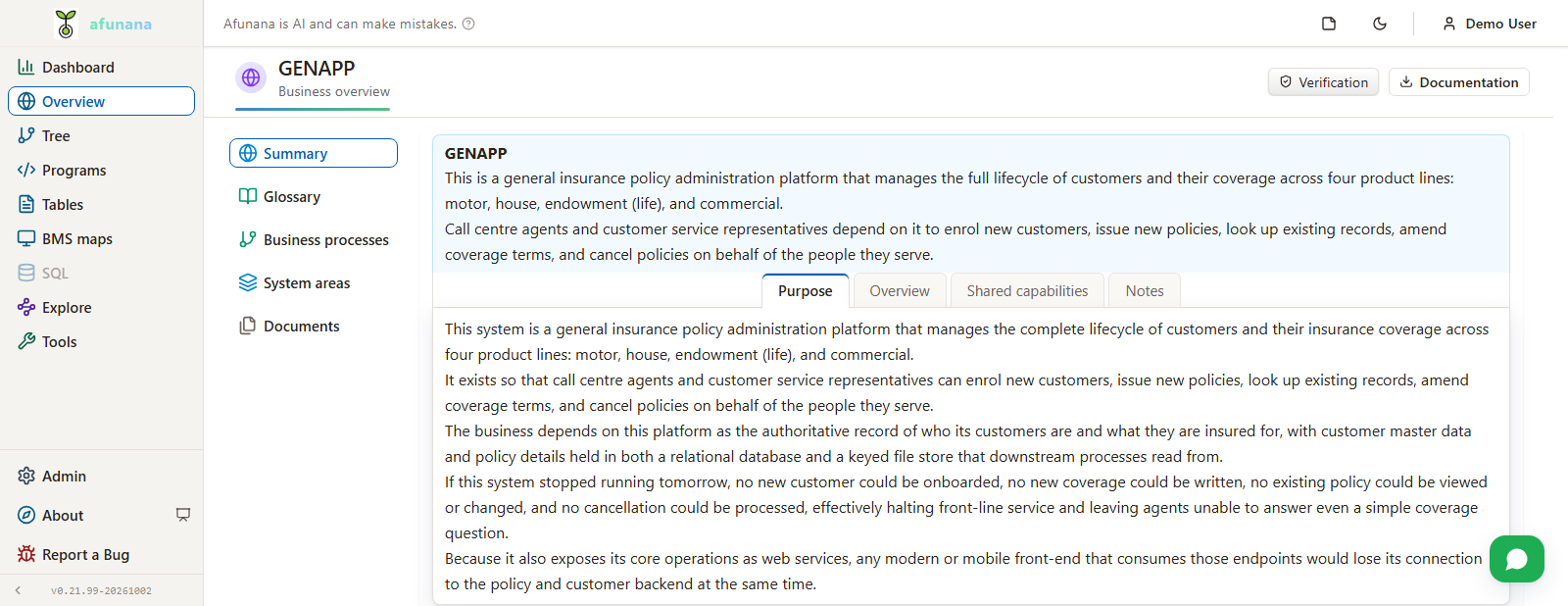
- The web application — the whole estate, top-down: overview, subsystems, programs, files, fields and business rules.The chat assistant sits beside whatever is open.
- A self-contained VS Code extension — documentation, chat, source editing, jobs and spooled output.The extension is self-contained.It connects to an Afunana server and uses the collections and host connections available to the signed-in account.
- An authenticated MCP endpoint — AI assistants such as Claude, Cursor and Copilot query a collection directly.They carry the same identity and per-collection boundary as a person.
- A REST API — for pulling documentation, findings and cross-reference data into whatever else the organisation runs.
Documentation language is configured per collection.The interface language follows the user's preference, with left-to-right and right-to-left support.