
Comments never reach the model
The model reads source with every comment blanked.Every line and its number stay, so citations and plans still match.
For developers, and for the owners of the system
Developers get the system read, the change prepared and compiled.Owners see who changed what, and why.
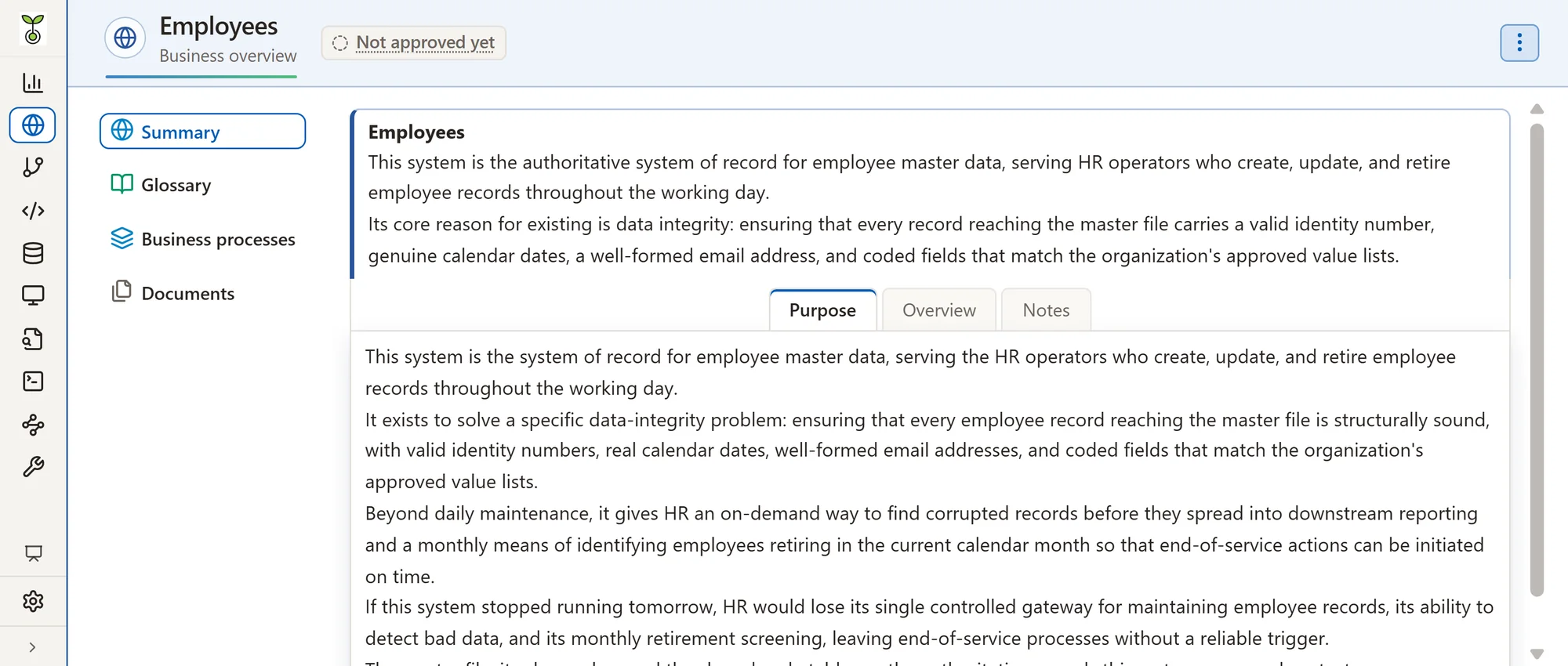
Screenshots on this site show Afunana with a demonstration application.They do not contain real customer data.
Every program, file and field, and how they connect.
DevelopersA request becomes a plan written as real code.
DevelopersCompiled on the IBM i before anyone sees the diff.
DevelopersWho changed what, why, and what the AI did.
OwnersThe system stays understood when people move on.
BothTwo partners, one record
Afunana reads the system, prepares each change and checks it on the machine.The developer decides and executes.Every step lands in one record that owners and management can open.
Keeps the record
Owners and management see every step in one record, inside the application workspace.Evaluation informs the decision to use an AI result; governance records who made it.
The model reads source with every comment blanked.Every line and its number stay, so citations and plans still match.
Plans are applied to copies in the developer's own library and compiled there.AI edits change the open member in the editor, never the IBM i.
Each call is recorded with its user, collection, model and tokens.Usage and cost reports feed internal reviews.
Only models on the approved list run, checked on every call.A model change is tested first and waits for a second administrator.
Each member save is kept in the collection's own history.Line history shows who changed a line and when.
Thumbs up or down on a document or a change plan, with a remark.Each decision holds for the exact version; a later change asks again.Nobody approves their own change; the Approvals screen lists every decision.
Record intended use, responsibilities, risks and review dates.Incidents and concerns are tracked with status, resolution and who closed them.
Sign-ins and security-relevant actions are logged with who did them.Records can be forwarded to your SIEM.
Nearly every instruction the model receives is a versioned file.Most new capabilities arrive switched off, each with its own settings.
Afunana finds which fields hold personal data from their names and descriptions.A data check counts matching values and never shows or keeps them.
Governance draws on NIST AI RMF, ISO/IEC 42001 and ISO/IEC 23894 as references.
Reads the whole system
Code assistants see one file. Your application is a system.Afunana starts from system metadata, source, copybooks and table definitions.On IBM platforms, system cross-references set the structure; on Oracle, the data dictionary does.Deterministic source analysis adds calls, data usage and other relationships.
Every collection's extraction tables side by side, with row counts.It shows what joins them and what changed since the last extraction.
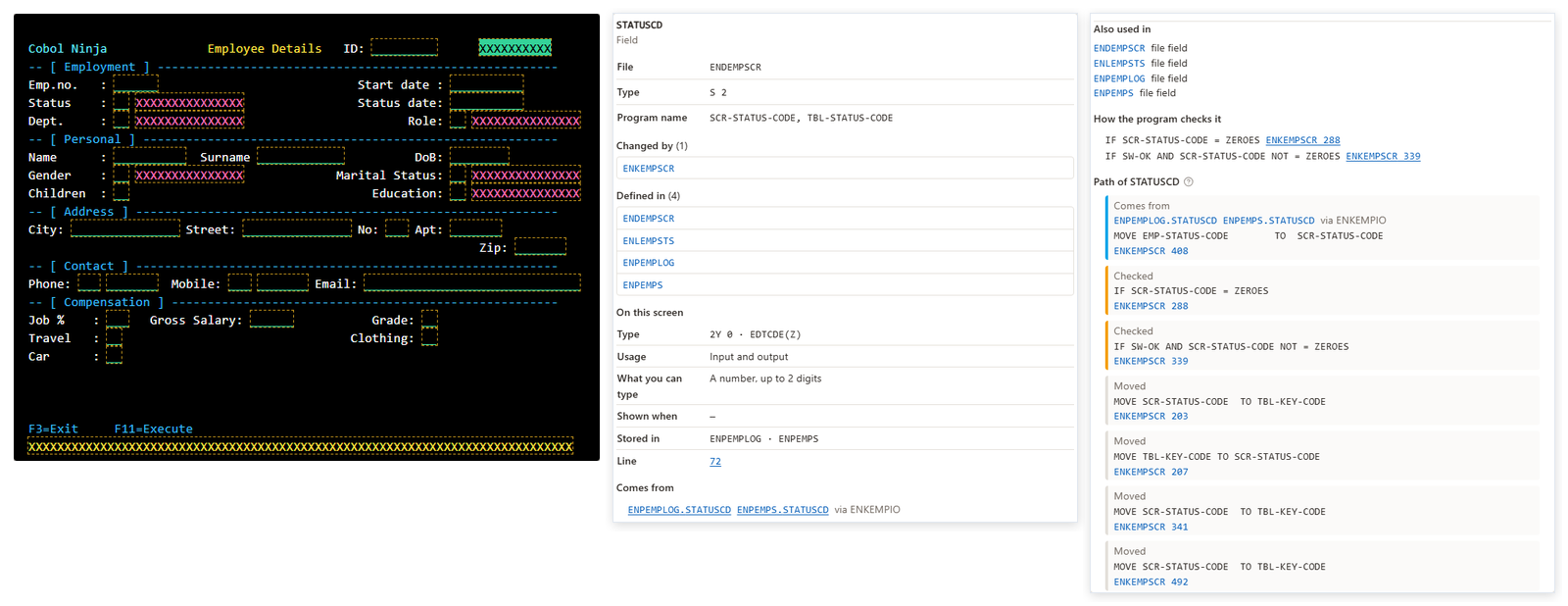
Clicking a screen field opens one window with its definition, uses, checks and path.On IBM Z, batch flow follows jobs, steps and datasets.
Each night Afunana reads what the host knows beyond the source.Triggers, constraints, scheduled jobs and journals appear on each card.A change to a file also reaches its trigger programs.
A program a CL job submits with SBMJOB is followed like a call.Files named only in SQL members and queries are read from the machine.A program that is another collection's root links to that collection.
On IBM i, the system's own counters show which programs run and when they last ran.Programs unused for the months each collection sets go on a retirement list.
Documents it
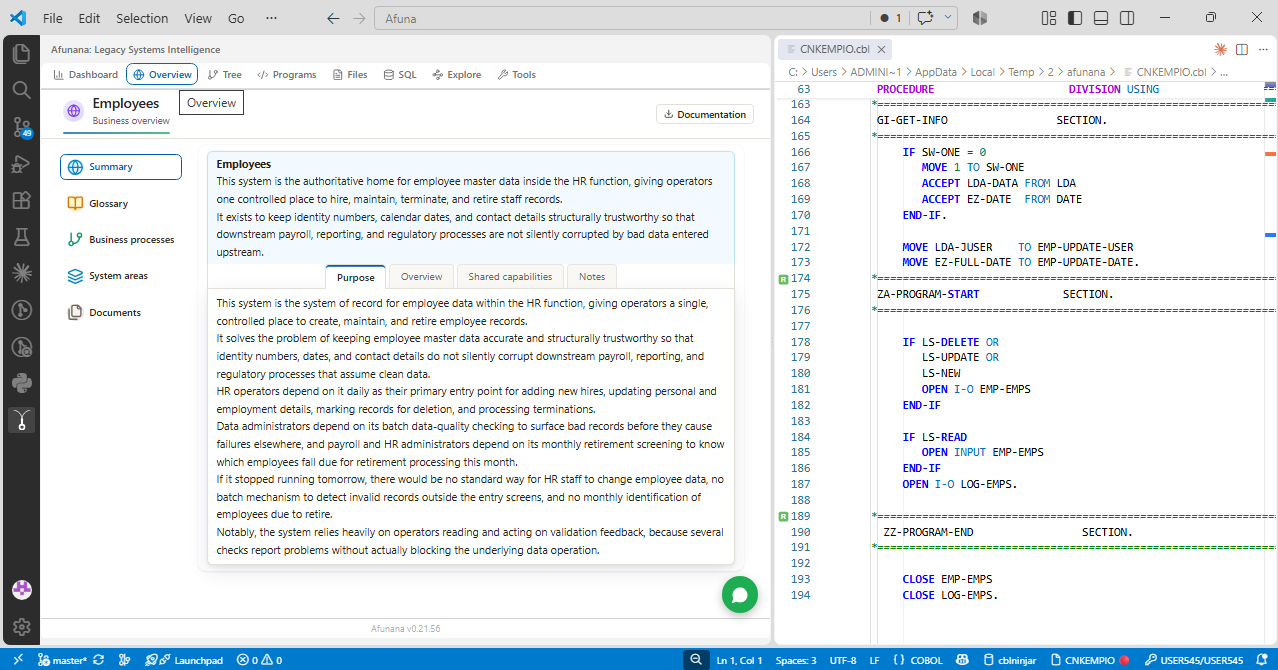
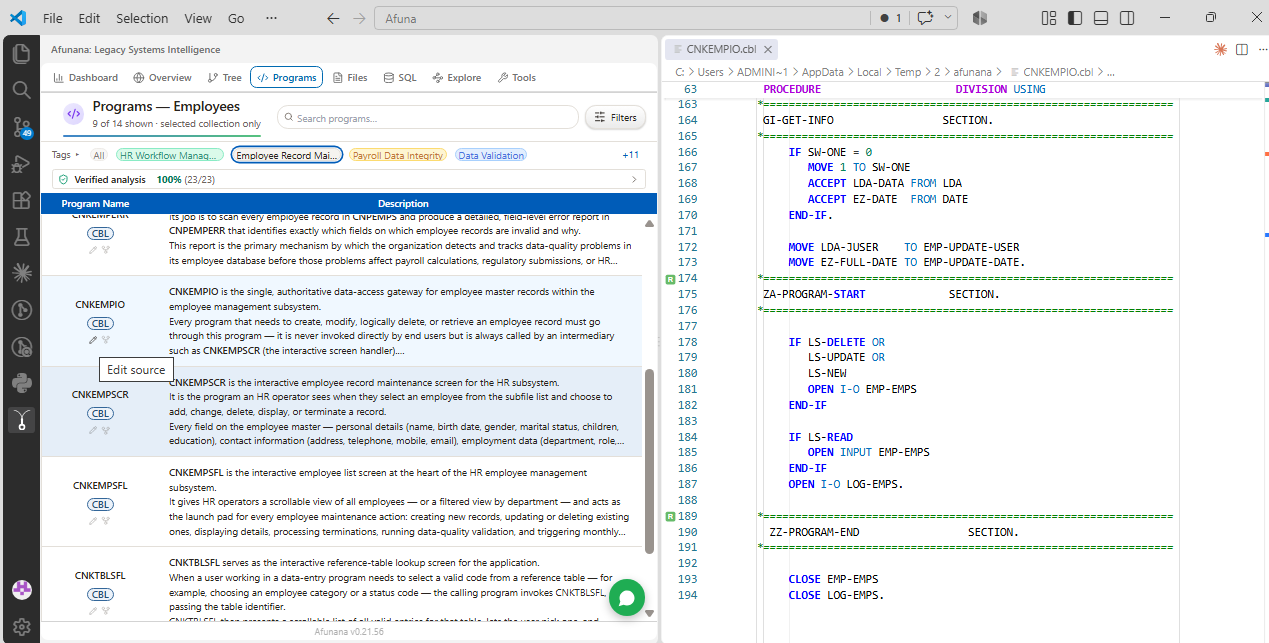
A collection holds an application's source, definitions and analysis.It explains what the system does for the business and how its programs do it.
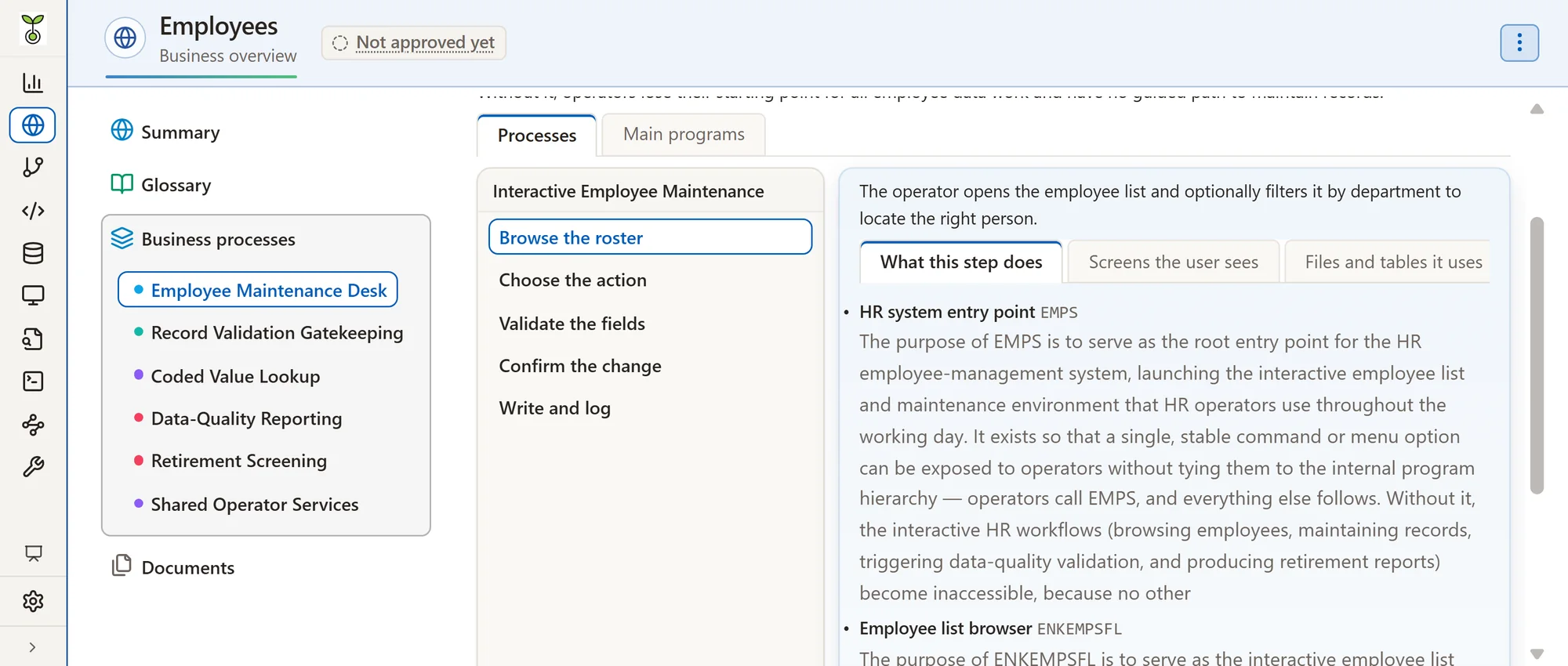
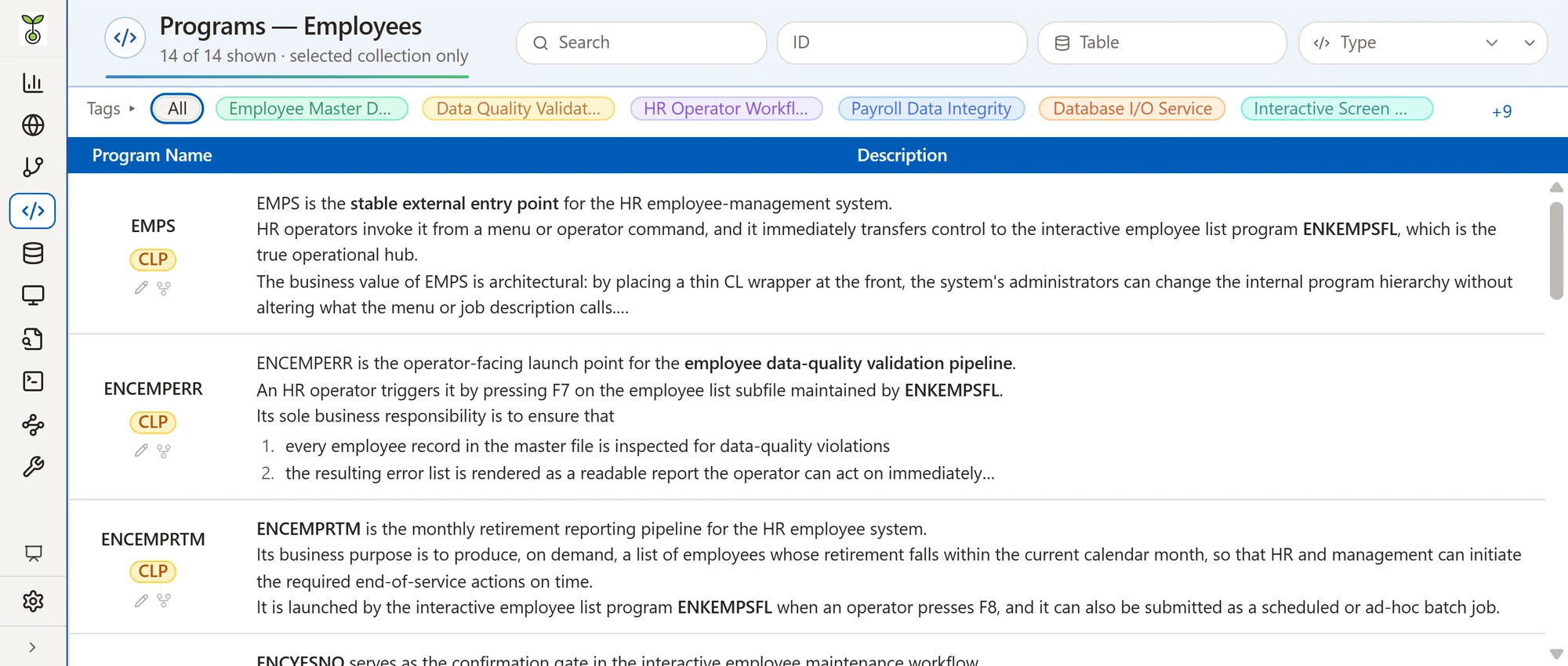
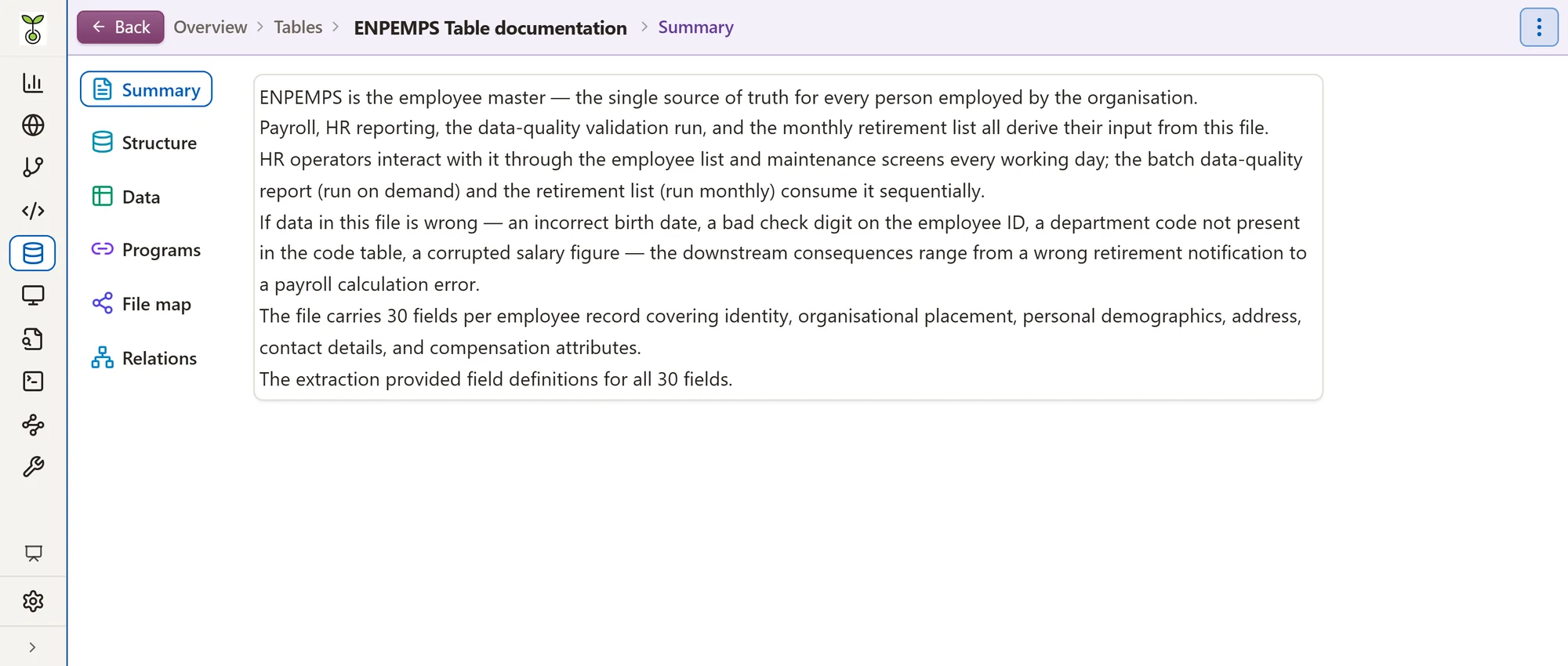
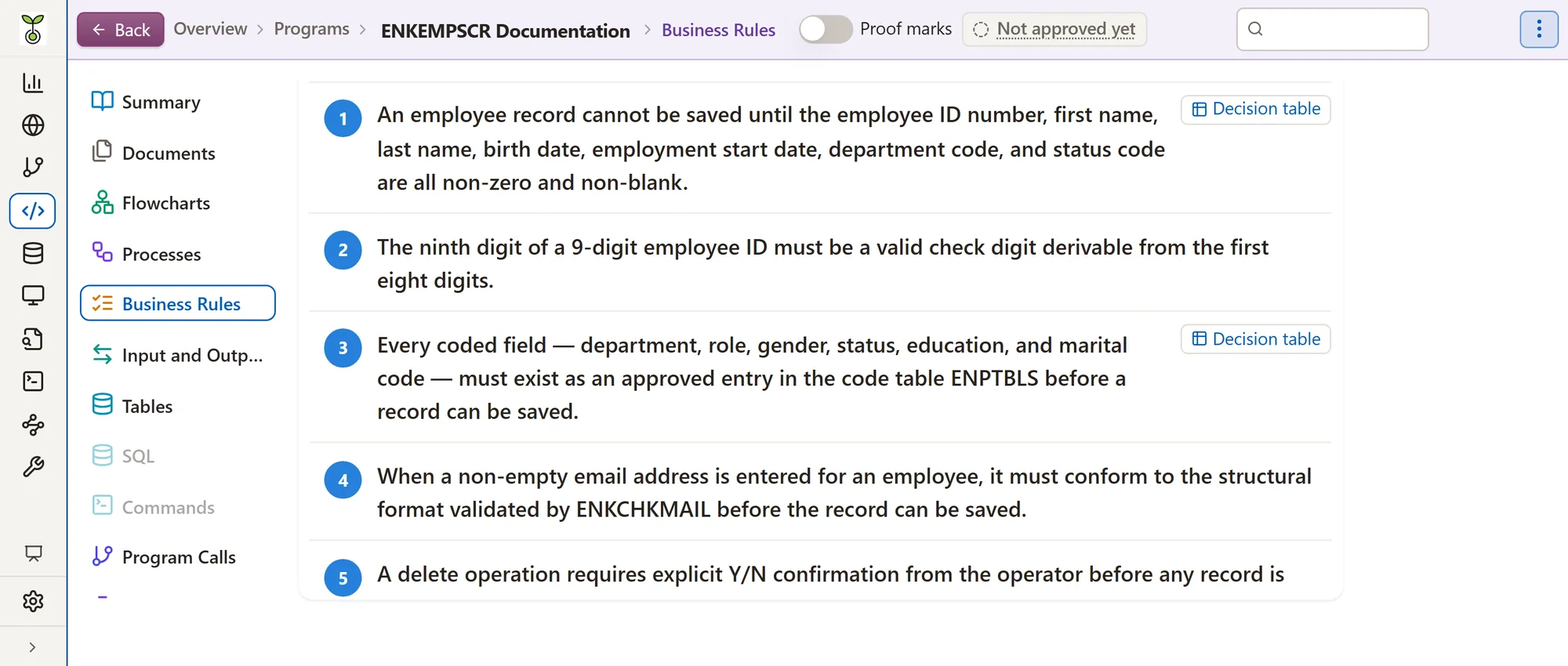
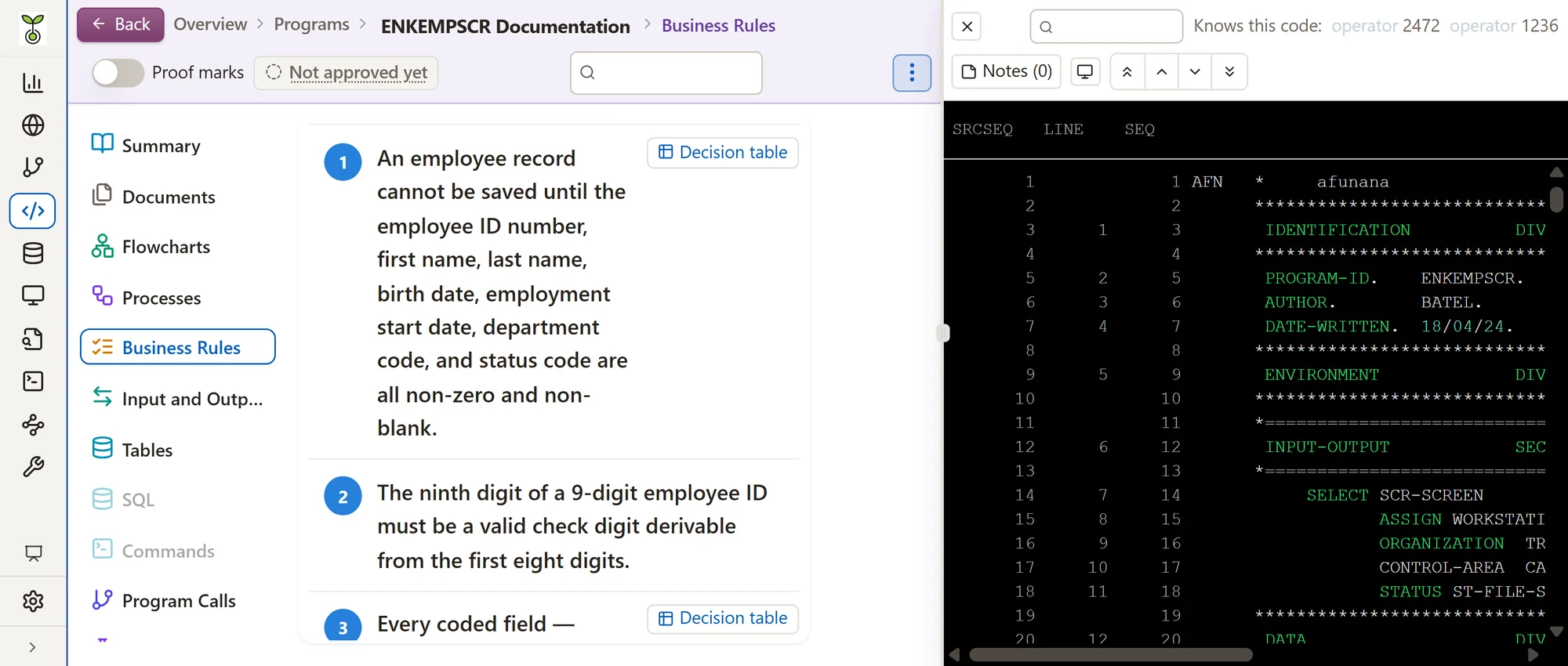
Afunana documents purpose, steps, rules and exceptions, linked to programs.Each rule links to the source line behind it.A glossary explains business terms and cites the programs and files that use them.
It explains program logic, inputs, outputs and calls.A collection holds programs, copybooks, job control and database definitions.SQL members, queries and the system's own commands are documented too.
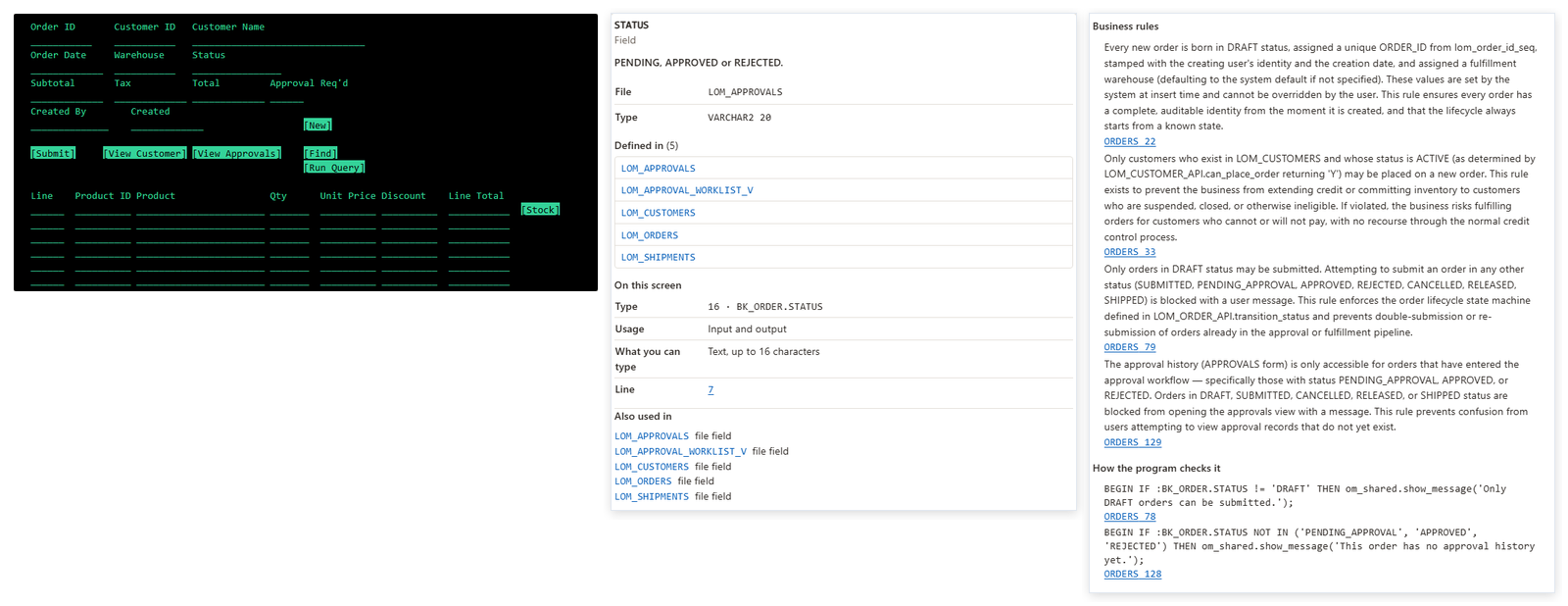
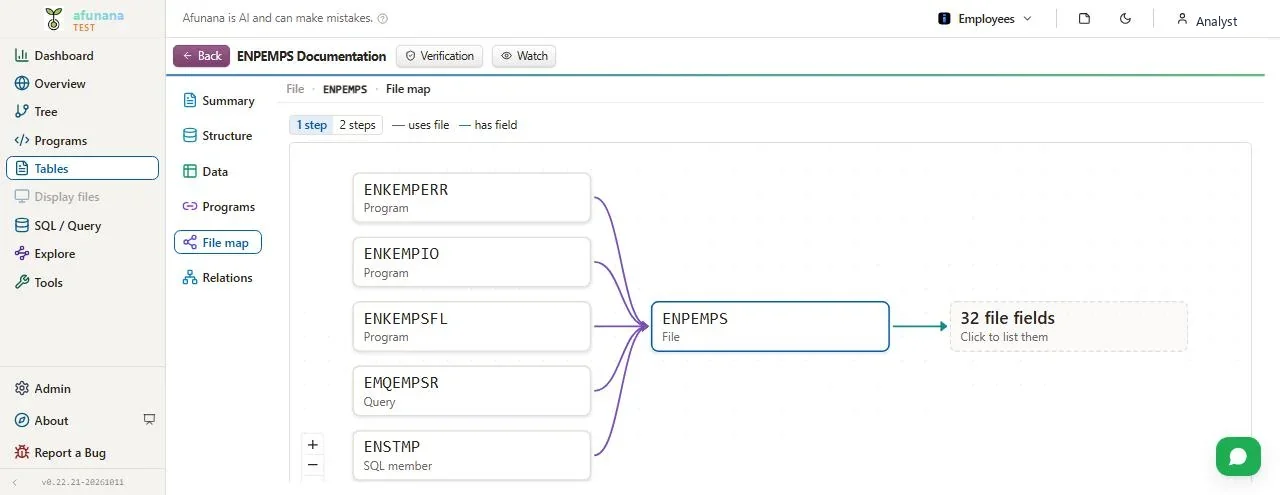
It brings together field definitions, usage and business terms.File use shows which program reads, writes, updates or deletes each file.Display files, BMS maps, dynpros, Forms and Natural maps are drawn as screens.
Download a collection or program as one file that opens in any browser.It holds only what the person downloading it may see.Specifications, manuals and internal documents add what the code cannot say.
Checked
Verification covers program and file documents, the overview and business processes.Each record states what was examined, what was found and what was not checked.Reviewer sign-off sits in the record, above.
Afunana links explanations to their supporting source.Chat checks examine citations and named objects against the evidence.For streamed answers, verification follows the displayed text.
Build checks compare references and claims with the code, and record the gaps.On request, an AI evaluation checks each section for omissions and contradictions.A fixed set of fact questions measures answer accuracy per collection.
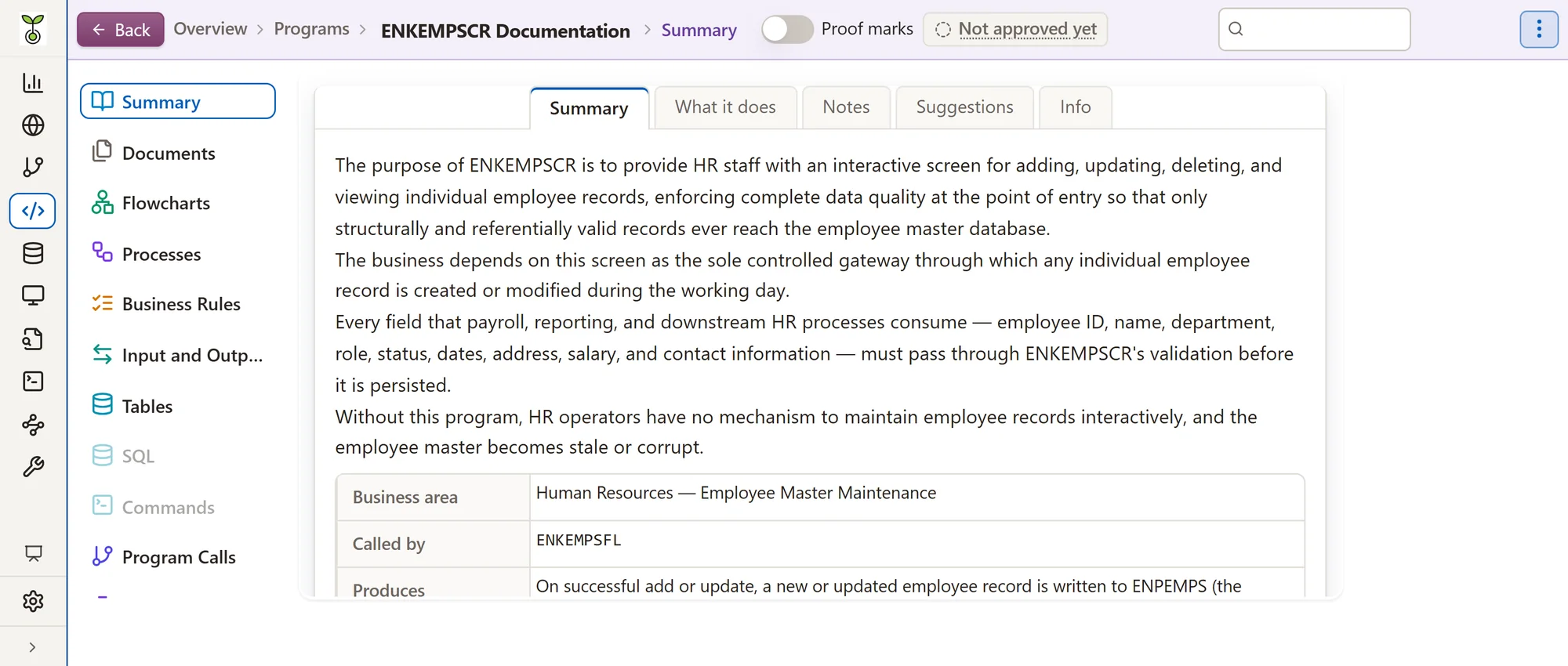
Prepares the change
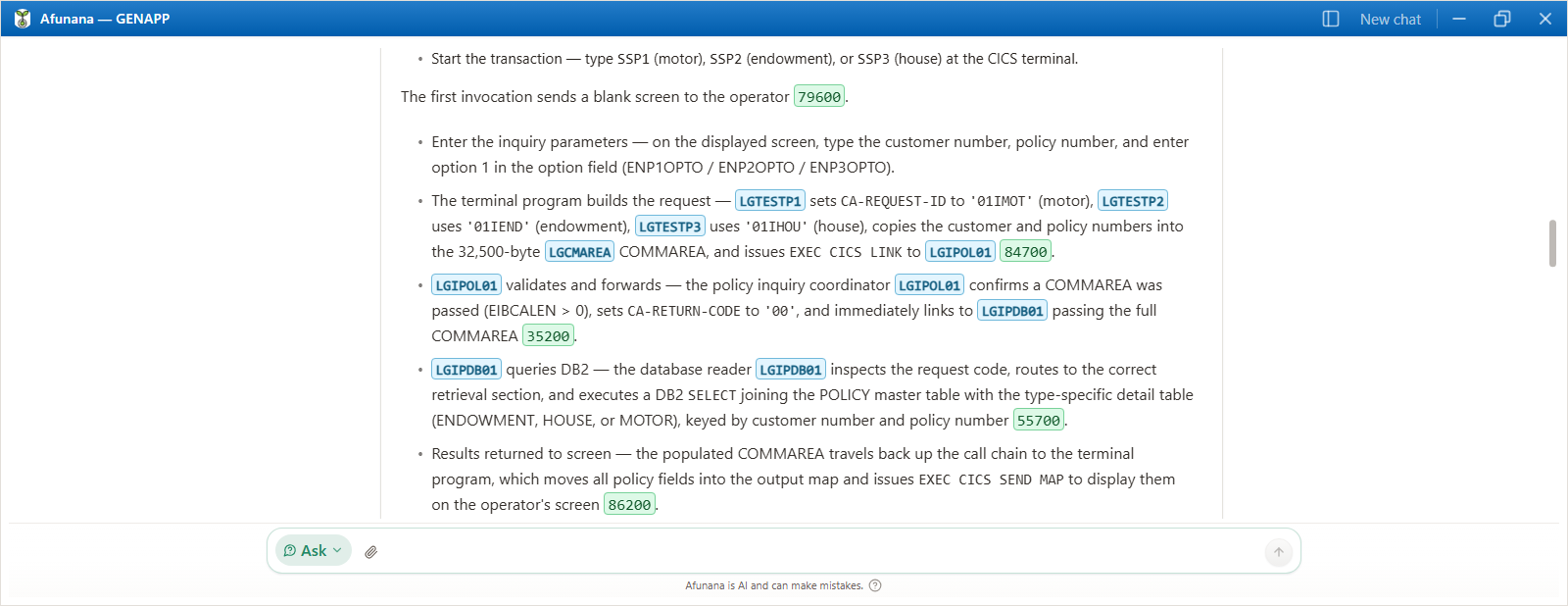
Start from a plain-language request.Afunana finds the affected programs and data.It states its reasoning, risks and assumptions, and writes the plan as real code.
Code gathers the facts first: names, definitions and source lines.The model decides only what needs judgement, and cites each line.It says what could not be established.
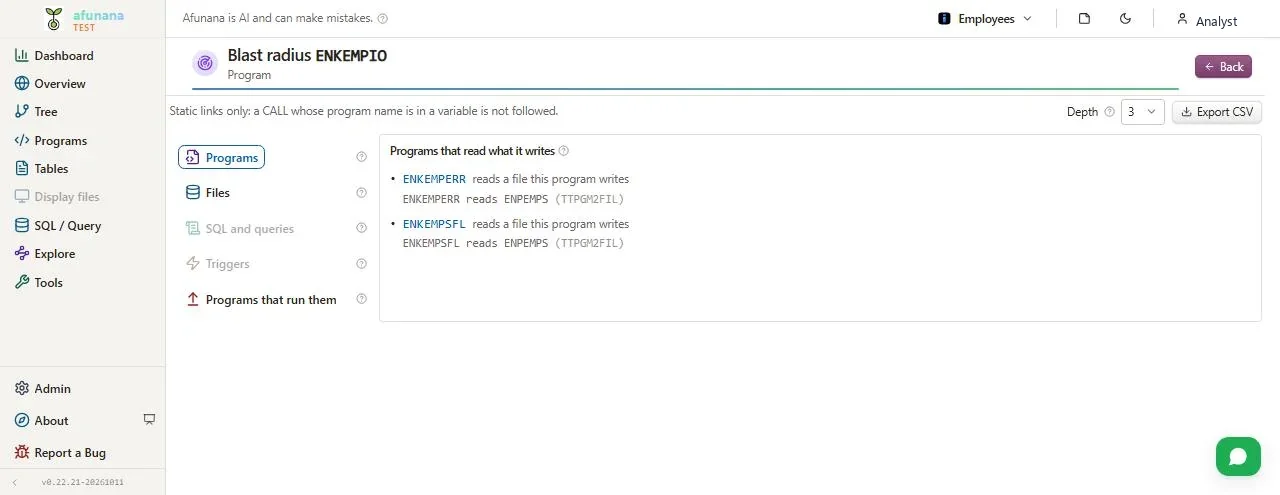
Pick a field or program and see everything a change reaches.Each affected place comes with the evidence that links it.It covers programs, files, SQL, queries, commands and triggers.
A field is followed from file to program to screen and report.Definition conflicts between files are listed.
It lists the changes by program, their order and the tests to run.A risk label weighs missed places, data at its limit and run frequency.
Checks it on the machine
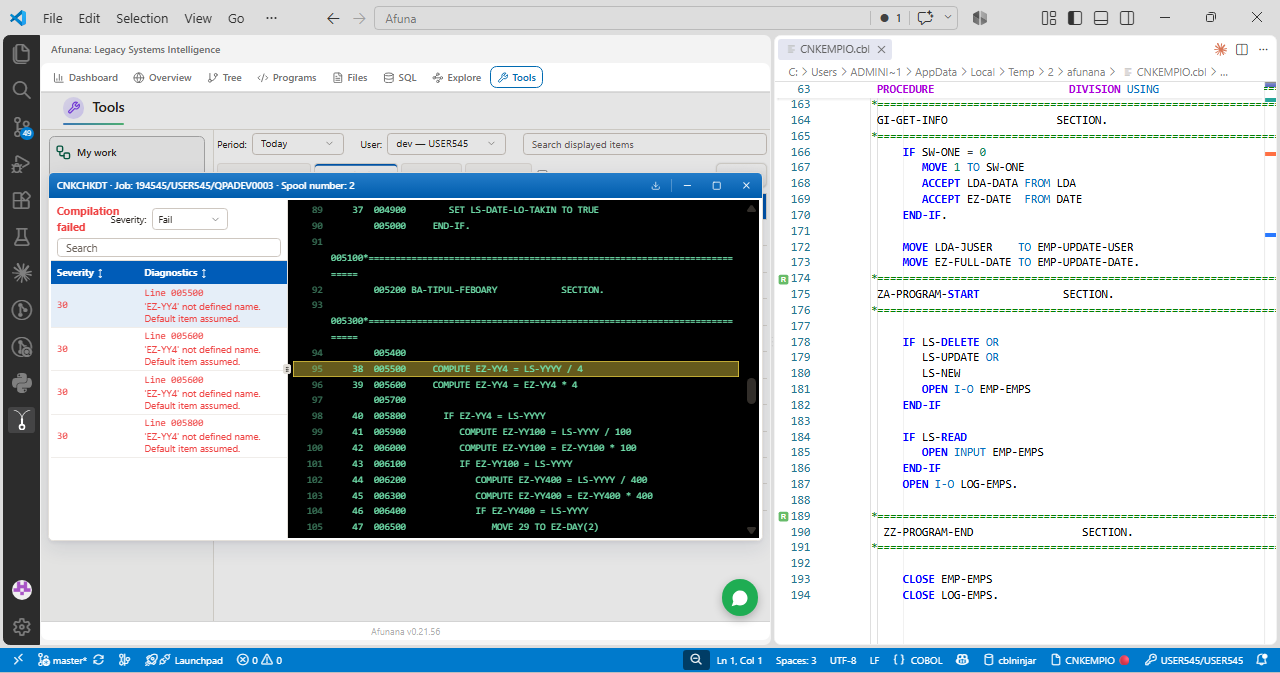
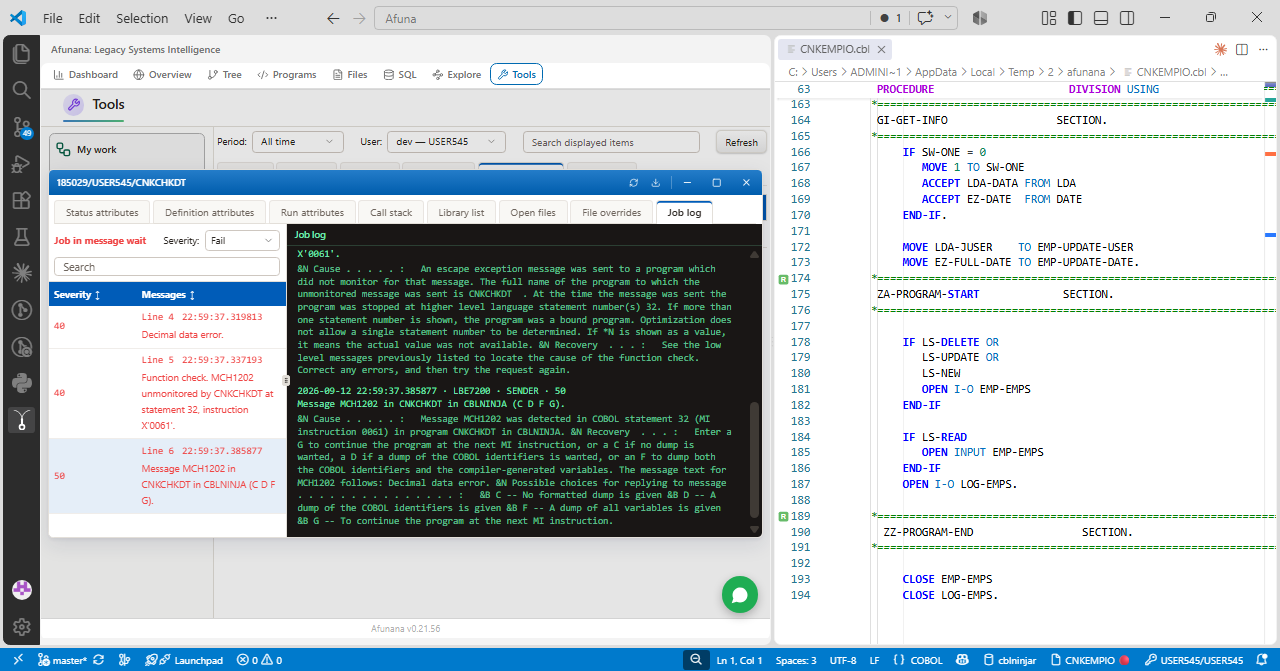
A plan's changes compile in the developer's own library first.In VS Code, every IBM i member is checked as it is written, and on the machine on request.The developer reads the result and executes.
The plan is applied to copies of the members in the developer's library.The diff shows every changed line.A failed compile gets up to two recorded fix rounds.
The developer reads the diff and compile results, then executes the plan.Source changes only after every changed program compiles.
VS Code checks COBOL, RPG, CL, DDS and SQL members while they are written.It finds undefined and unused names, missing paragraphs, subroutines and copybooks.Completion, rename and folding come from the same analysis.
One command compiles the editor's text on the IBM i, without creating an object.It runs in QTEMP under the developer's own sign-on.The compiler's own messages appear beside the source.
Ctrl+S opens the SEU exit window and writes the member to the IBM i.It keeps its own name and lands in the developer's own library.A member that is not there yet is created there on the first save.
Outside a collection, Tools opens on the members of a library.Work in a PDM look or a project tree, with the 5250 terminal on Shift+F9.Saves run under the developer's own IBM i profile and its authority.
Performance suggestions appear in Problems, in the program's own names.Apply the Afunana rewrite shows the change as a diff of the member.A small-key file, for example, is read once into a table.
Fix with Afunana corrects a problem; edit here changes a selected block.A fix can compile itself on the IBM i, up to three rounds, before it is shown.Both show a diff, and only Apply puts the change in the editor.
Afunana answers AI assistants through read-only MCP tools.Assistants sign in with OAuth and see only the collections the user may see.In VS Code 1.101 or later, the extension adds the tools to the editor's agent.
Knowledge that stays
Legacy systems carry the business.Afunana keeps them understood, by everyone who works on them.
Afunana records purpose, processes and program behavior.Each point links to the source behind it.It no longer depends on who is in the office.
Start at the overview and its subsystems, then go down to the line.Every name opens what it is and what it touches.
Incremental builds re-document only changed programs.People who follow a program, file or process get one message a day on what changed.
Changes are read from the date on every source line.Each change is summed up in a few plain lines.Unchanged programs are skipped on the next build.
Afunana keeps page notes alongside the documentation.It turns unclear rules and dependencies into questions for specialists.Their recorded answers add attributed knowledge for future searches and chat.
Five application platforms
One working environment, built from each platform's source and metadata.
IBM system metadata connects programs, copybooks, files and fields.Source analysis covers COBOL, RPG, CL, DDS and SQL.A small Afunana library on the machine runs the extraction.
On z/OS, Afunana reads COBOL, PL/I, copybooks, JCL, BMS maps and DB2.CICS definitions show which transaction starts which program.A BMS map's page runs its CICS transaction as a web form.It works through z/OSMF; optional CICS features add a small program to the region.
The data dictionary links packages, procedures, tables and views.Nothing is installed on the database.A dictionary export can stand in for a live connection.
Afunana imports exported Natural programs, DDMs, maps and data areas.No connection to the host is needed.Adabas files are described from their DDMs; trial data is simulated and marked.
Afunana imports an abapGit export of ABAP packages.No connection to the SAP system is needed.BW data flows come from their metadata; each rule cites its routine.
FAQ
Afunana runs on your own servers, with Docker or Podman.Source, documentation and the search index stay in that installation.The AI reads relevant source through the AI service you configure.With a model hosted inside your network, nothing leaves it.
Comment text is blanked on every path to the model.Every line and its number stay, so citations still point to the right place.The screens show the comments as written.
Plans are applied to copies in the developer's own library and compiled there.AI edits change the open member in the editor, never the IBM i.A member reaches the IBM i when the developer saves it, under their own sign-on.
Request a demo
Start with one bounded area and questions your specialists can judge.Together we agree what to check and how to judge the results.