
IBM Z
- COBOL
- PL/I
- JCL
- CICS
- Db2
- VSAM
Batch jobs and CICS transactions are traced in the code from where they start to the programs and files they use. Afunana reads the mainframe through z/OSMF and installs nothing on it.
Software for legacy applications
Afunana connects to your IBM i, IBM Z mainframe or Oracle database, or imports source from Natural, SAP, Delphi, .NET or PowerBuilder, and reads the whole application. It documents the application, helps programmers change it safely, and, when you decide to move, writes the new code and proves that it gives the same results. It can run entirely on your own servers.

Screenshots on this site show a demonstration application, with no real customer data.
The problem
Many banks, insurers, manufacturers and public bodies still run their core business on programs written decades ago. The programs still work, but the knowledge about them has not been kept as well as the code.
The solution
Afunana reads the application from the machine it runs on and builds one model of every program, file and field and how they connect. Three parts of the product work from that model, in order. You can use all three, or put the weight on the one you need now.
For missing documentation and departing staff, Afunana documents every program, file, field and screen, and the business rules inside the code. Anyone can ask about the system in a chat, and every answer names the programs and lines it is based on.
EveryoneFor slow and risky changes, Afunana shows the programs, files and screens a change affects before it is made. Programmers then edit, compile, test and debug on the IBM i or the mainframe, with every program they open already documented.
ProgrammersFor a move to a new platform, Afunana proposes how each layer of the application should move, and people decide. It then writes the new code and runs the same cases on old and new, until both give the same result in every field.
ArchitectsHow it works
Everything starts from the same reading of your system. Documentation comes first, because the other two parts depend on it. Maintenance keeps the application running and changing on its platform, and modernization moves it when you decide to. Afunana keeps reading the machine, so all three stay current.
The shared base
1. Documentation
2. Maintenance
3. Modernization
Documentation and chat
Afunana reads the system, works out how it fits together, and then the AI describes it, with every statement pointing to the code.
Afunana connects with a user you choose and reads the source, the file and field definitions, the scheduled jobs and how often each program runs. It does not read the rows of business data.
A parser works out which program calls which, which programs use each file, and how each field reaches a screen or a report. The same input always gives the same facts.
Afunana checks that what each caller passes matches what the called program expects, in COBOL, RPG and CL. It reads the users' menus, so a program shows which option reaches it.
On the IBM i it records what every source member in the libraries you name calls and uses. A map shows the machine's libraries, and you write down what to leave out.
Most of these systems declare none, so Afunana deduces them from how the programs use keys. One diagram shows them, each with its source lines.
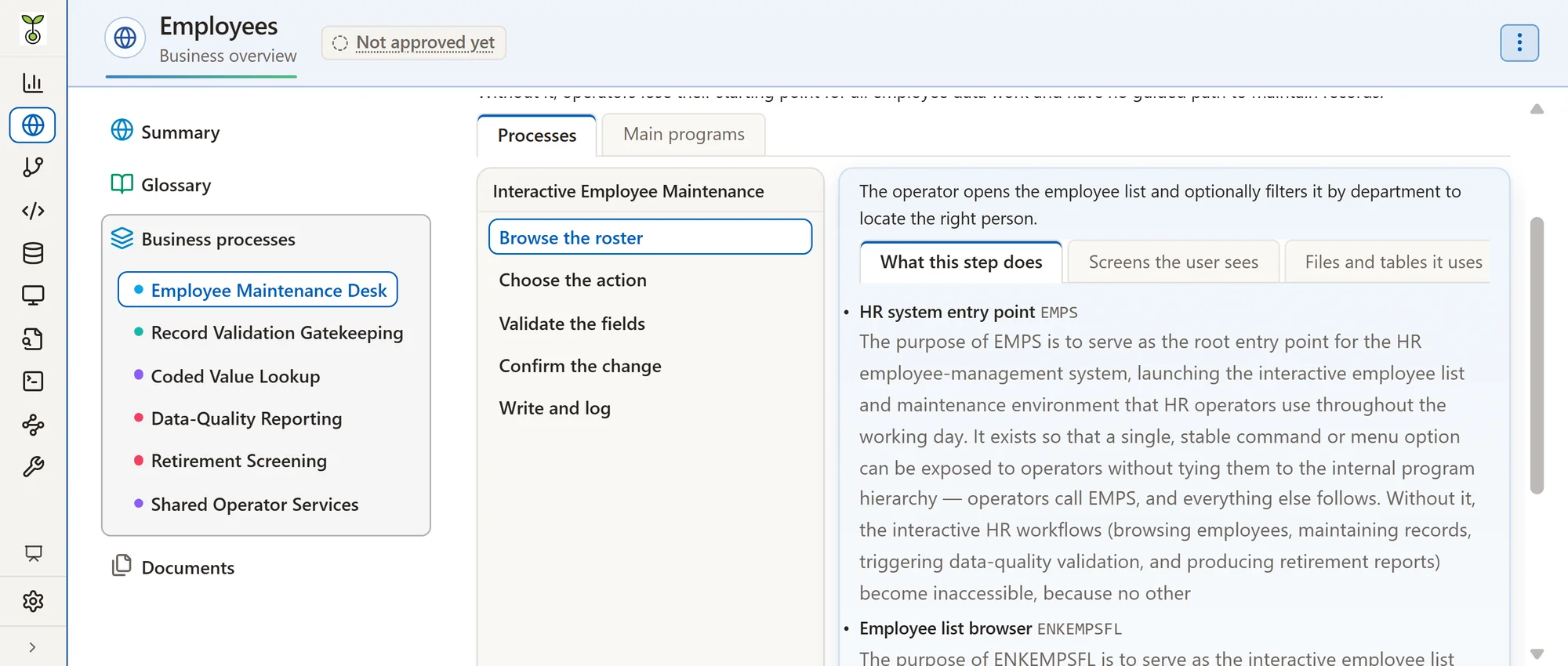
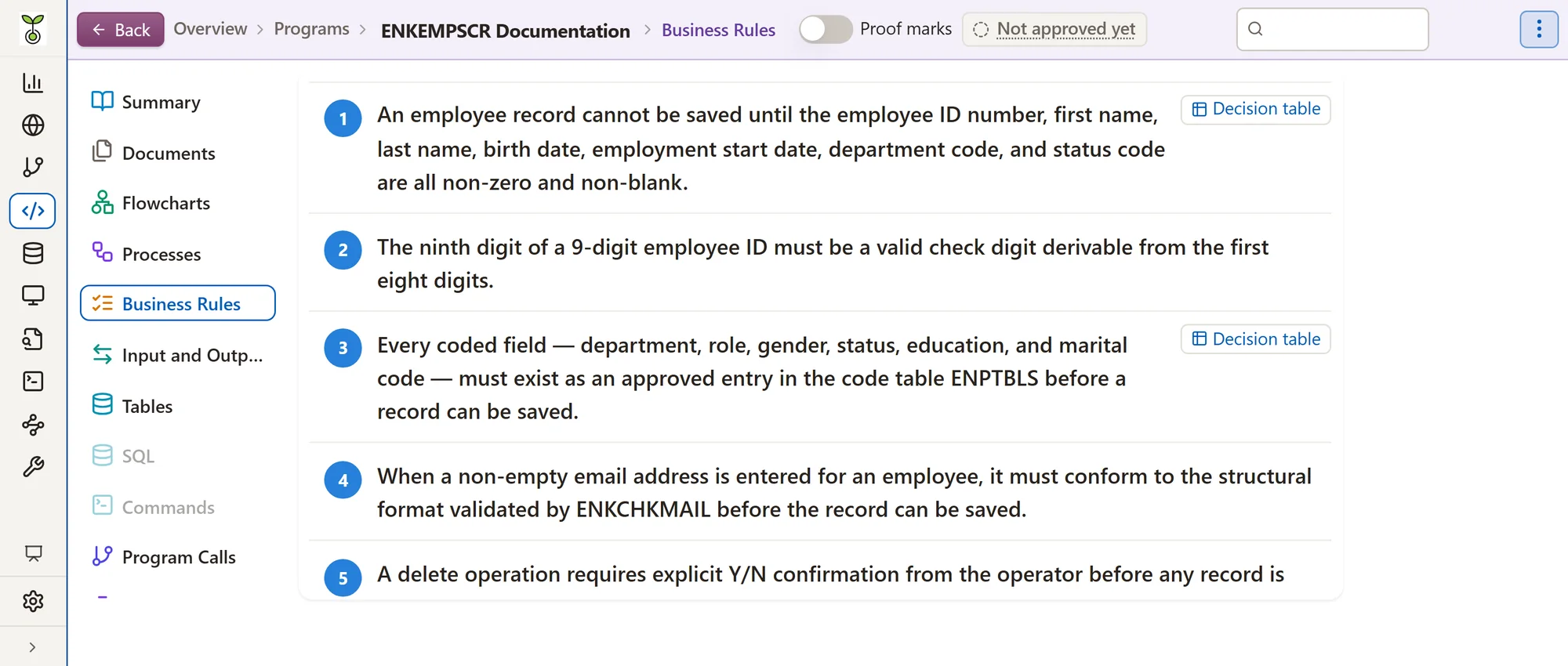
Programs, business rules, files, fields and processes are described in plain language. Every statement points to its source lines and is checked against the code first.
Anyone can ask in plain language. The answer names the programs and lines it relies on, and says what it could not establish.
When a program changes, only it and what depends on it are documented again. Specialists' corrections are kept with their names, and a program that failed is tried again at the end of the build.




Maintenance
Afunana Developer is a development environment for the IBM i and the mainframe, in the browser or in VS Code, where every program is already documented.
PDM options, SEU line commands, ISPF, and the 5250 and 3270 terminals are all there. The difference is that every program opened is already documented.
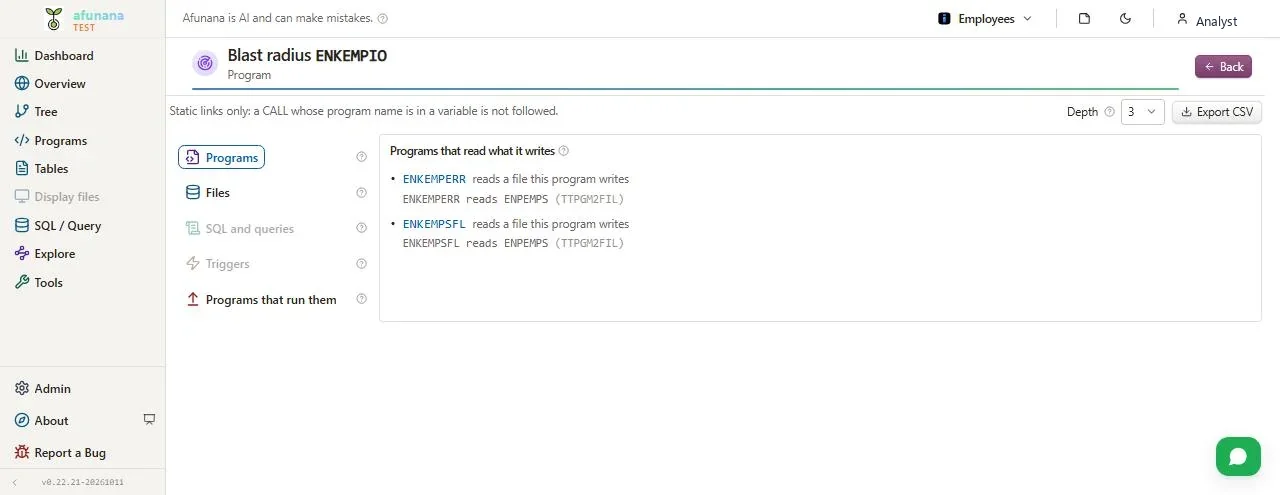
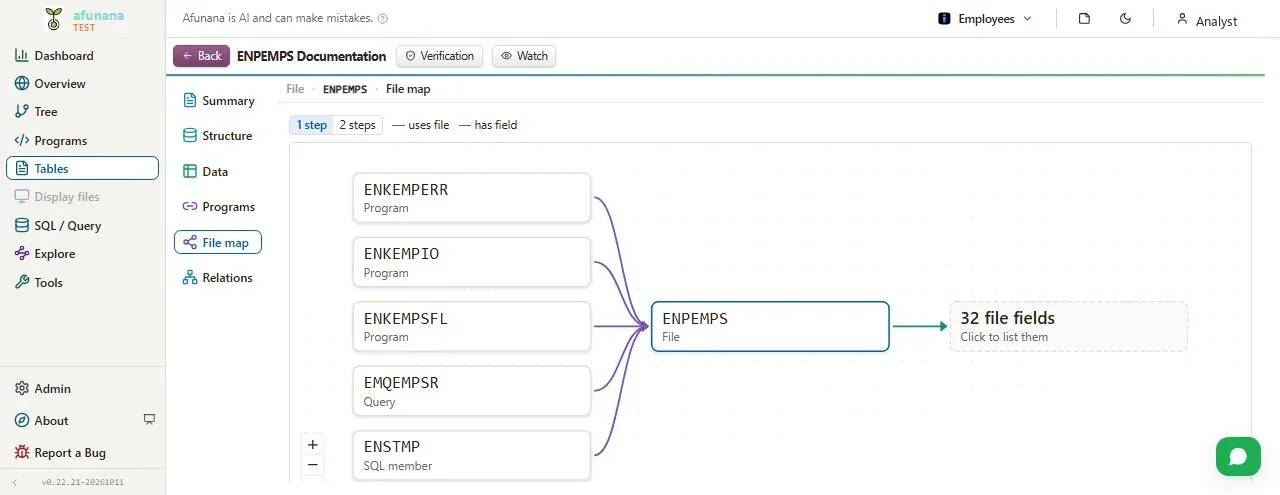
Pick a field or a program and see everything a change affects, with the line that shows why. Afunana turns that list into a change plan.
The change is made in the programmer's own library. The compiler's messages land on their lines, and on the IBM i the programmer can debug in their own job.
Editing a display file draws the screen beside the code, and a click on a field leads to its line. One window lists the keys, the PDM options and the IBM i commands.
When asked, the AI makes the change, and Afunana compiles and corrects it until it builds. The programmer accepts or rejects each change, and nothing is written to production.
It answers about the open program and reads job logs and spooled files with the programmer's own authority. A failed job leads to the line that sent the error and the recent changes to that program.
Nobody can approve their own change. A change made after approval must be approved again.



Modernization
A migration is not a one-to-one translation of programs, so Afunana starts from the whole application, and people decide each step.
Afunana can propose merging programs that share their files and callers, or retiring programs that are never used. Where the code cannot decide, it asks.
Each piece sits in its layer and shows whether it is reused, new work, in place, missing or proven. Any piece leads down to its decision, the old line, the new code and the proof.
Programs in Java, C# or Python, or in COBOL and RPG in a current style, and screens in React or Angular. Each table gets web screens and REST services, and the database PostgreSQL, SQL Server, Oracle or Db2.
The same cases run on the old program and the new code, after packed, zoned and EBCDIC values are decoded. A program is finished only when every case matches, and the new code is compiled beside the proof.
Each business rule is listed with its lines in the old code and in the new, so a rule left out is visible. A check found in several places becomes one rule that people confirm.
Status codes kept in many forms become one table of code values, picked from a list on the new screens. The input checks of the old programs become one validator per field, used by both screens and services.
People correct the model before code is generated: relations, names, merged screens, programs left behind. Afunana then generates again and reruns the proof, keeping hand-written code.
The data is copied to the new database and compared by counts, totals and a fingerprint of every row. A row that differs is shown with its key and the reason.
New code can call the old programs and the old programs can call the new, so the old system keeps running. Each group goes live after its proof.
It runs the new Java, .NET or Python applications from one package each, keeps every version and can roll back.
Every new line is linked to the old line it came from. The model and the cases can be exported to check code written by your own staff or by another tool.
The same case, run twice


Why Afunana
The points below describe how Afunana works.
Platforms
The same screens, the same chat and the same audit records are used for every platform below.
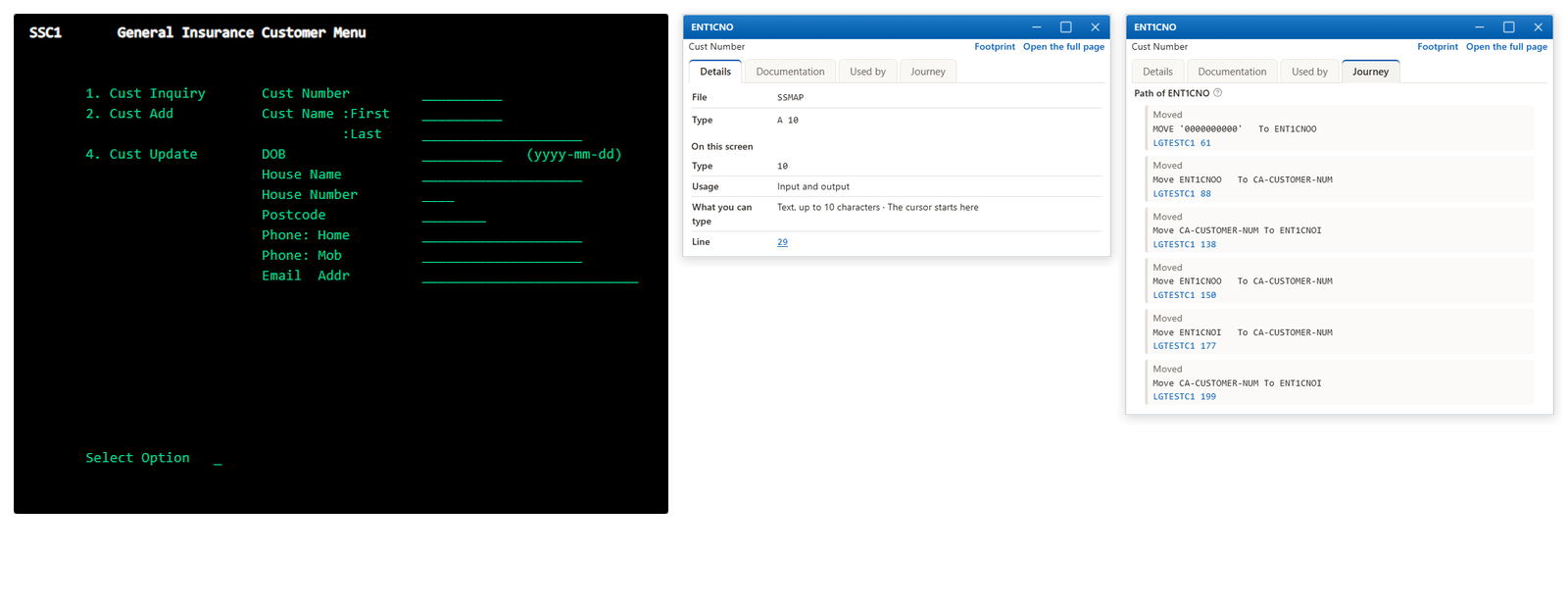
Batch jobs and CICS transactions are traced in the code from where they start to the programs and files they use. Afunana reads the mainframe through z/OSMF and installs nothing on it.
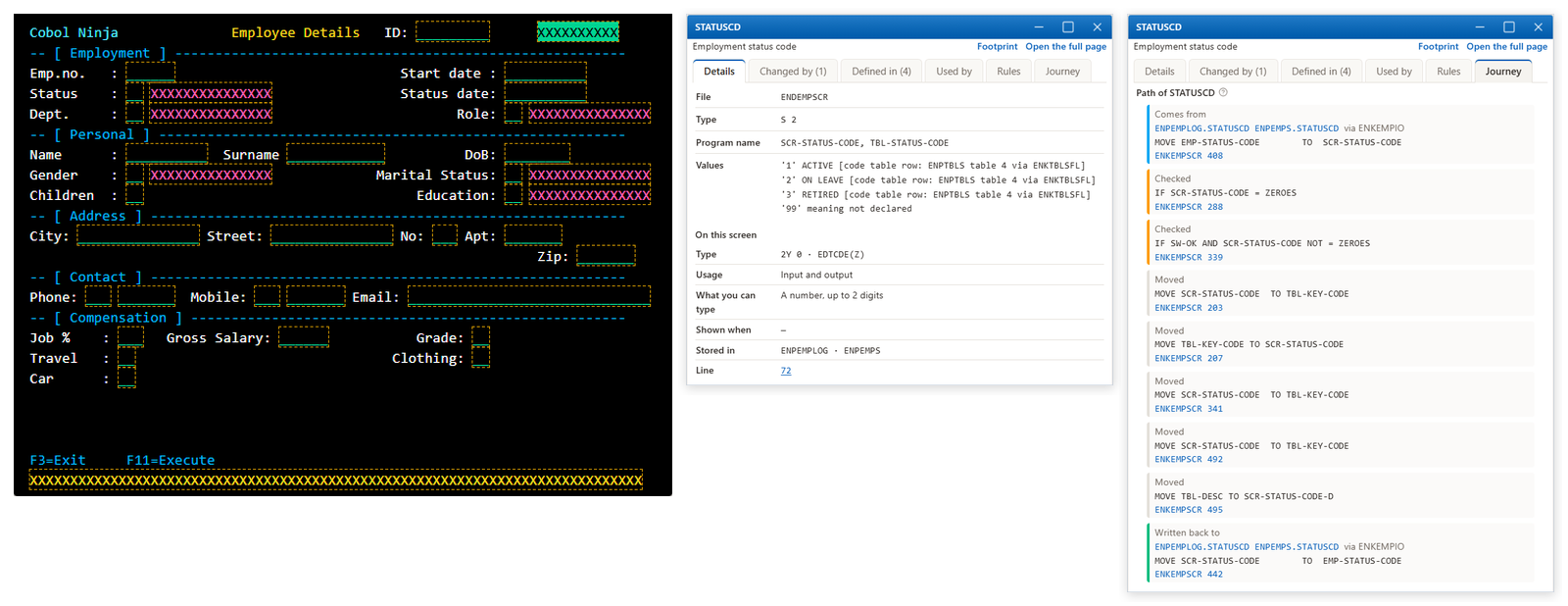
Programs, files and fields are read from the machine itself. Programmers edit, compile and debug in their own job.
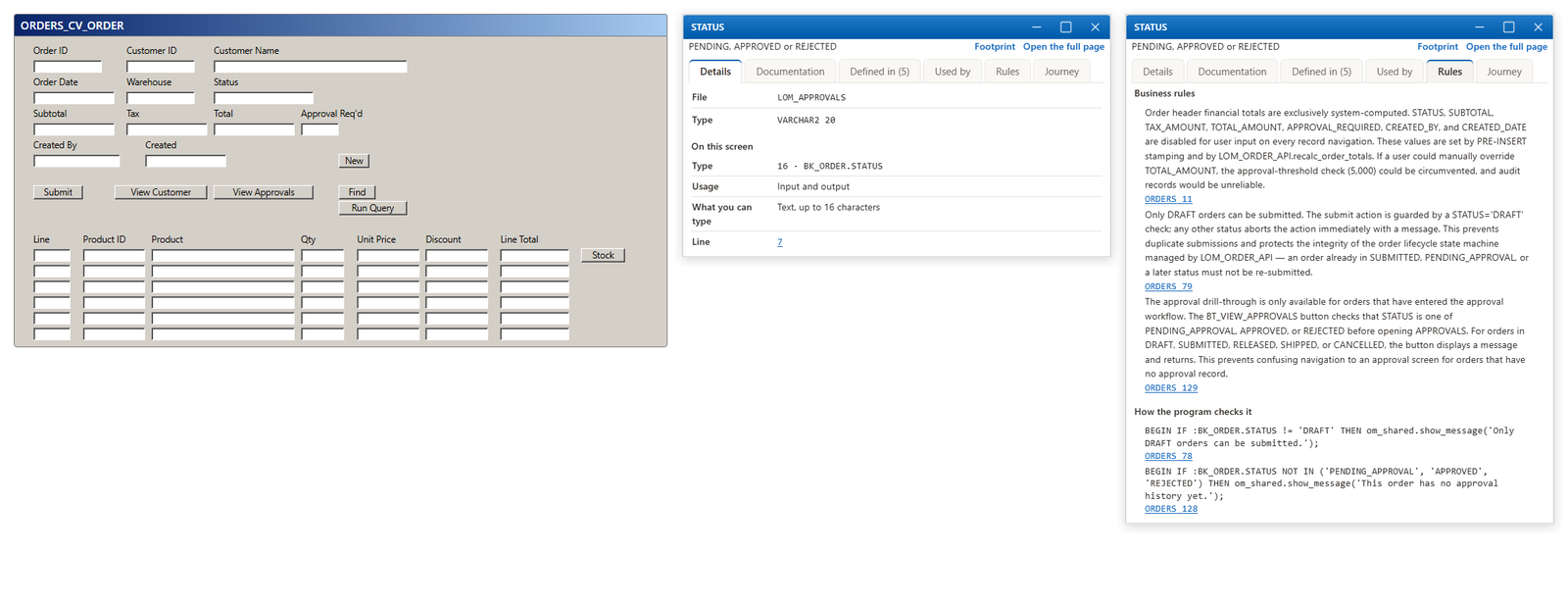
Packages, procedures and tables are read from the data dictionary, and nothing is installed on the database. Oracle Forms are added by uploading their export.
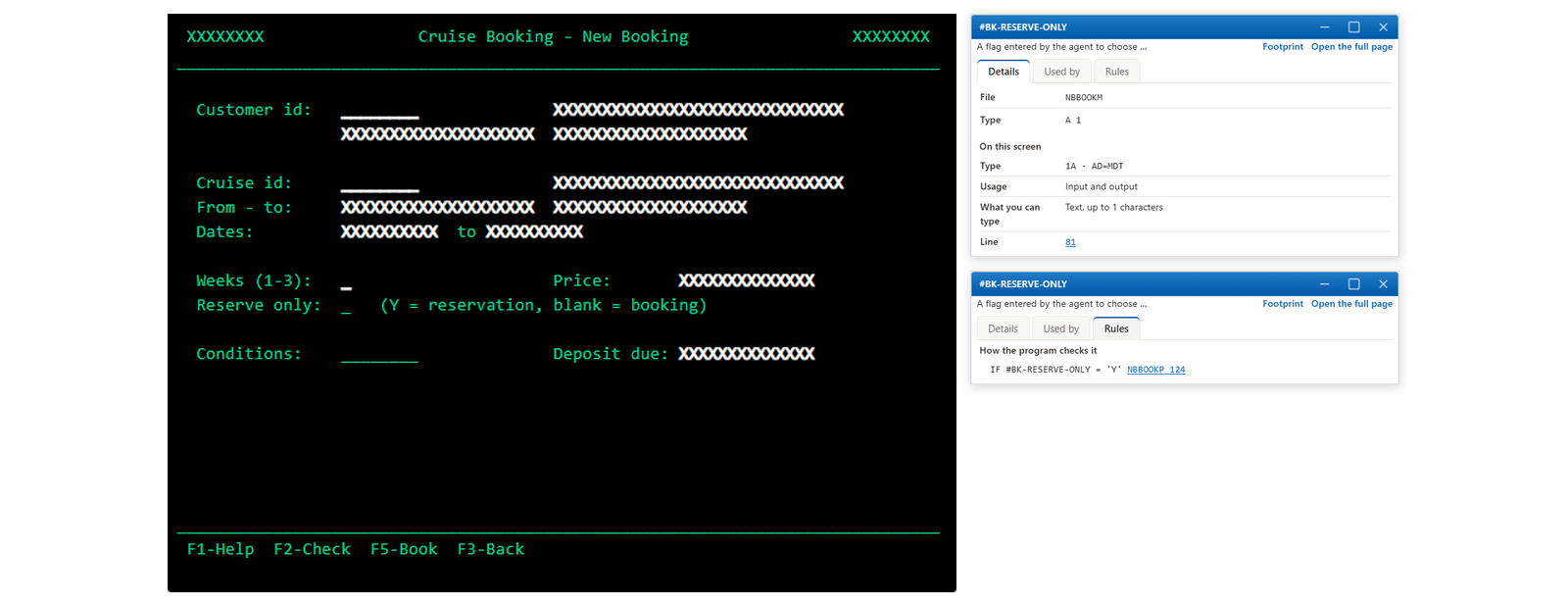
The source is imported from an export, so no connection to the host is needed.
The source is imported from an abapGit export, so no connection to SAP is needed.
The project is uploaded as one zip, so no connection is needed. Its forms are documented as screens.
The application is uploaded as one zip, then documented and modernized like any other. Its data annotations are read as business rules.
The exported source is uploaded as one zip. Its DataWindows are read for business rules.
Enterprise
Afunana runs on your own servers, and every person, model and decision in it leaves a record.
One script installs Afunana and updates it to the exact version you choose, on RHEL, AlmaLinux, Rocky Linux, Ubuntu or Debian. It can use a database and a reverse proxy you manage.
The documentation already written stays available.
People sign in with a local account and an authenticator code, or through SAML or OpenID Connect. Each person sees only their applications, also through MCP, the interface your own tools use to ask Afunana.
Administrators choose the models after testing them on your own code, and programmers cannot change them. A guide in the AI management screens takes an administrator through the governance steps.
Each request to a model is recorded with who asked, about what, with which model and at what cost.
Fixed rules, without a model, list the questions that were asked again, left unanswered, slow or failed. When a question fails, your own model explains why.
Each saved version of a program keeps who changed each line. Approvals and reported problems are recorded and can be forwarded to your SIEM.
The governance uses the NIST AI RMF, ISO/IEC 42001 and ISO/IEC 23894 as reference frameworks.
About Afunana

Co-founder, Legacy Systems Architecture
Dov has four decades of hands-on experience with COBOL and enterprise applications. He has designed core systems and led development groups. At Afunana he leads the product and its architecture, from reading the source on the IBM i and the mainframe to planning, checking and writing changes back.

Co-founder, AI and Solutions
Batel spent fifteen years as a COBOL programmer on insurers' core systems. She designed and built the part of Afunana that turns code into documentation and answers. In her design, everything that can be known for certain is computed from the code without AI, and the AI writes from those facts.

Chief Business Officer
Jonathan has worked in sales and partnerships for enterprise software and AI companies for more than 20 years, selling both directly and through systems integrators. At Afunana he leads work with enterprise customers and partners.
Partners
Systems integrators use Afunana in their client projects. During discovery, it follows the business processes into the code. During modernization, it shows which behavior must be kept and proves that it was. At handover, the client keeps the documentation and the answers, and Afunana updates them when the code changes.
Partnerships: Jonathan Clayman, Chief Business Officer, for integrators, resellers and global partners: jonathan@afunana.io.
FAQ
Afunana can run on your own servers, with Docker or Podman. The source, the documentation and the search index then stay in that installation. The AI reads the relevant source through the AI service you configure, so with a model hosted inside your network, nothing leaves it.
When source is sent to the model, every comment is blanked out, and each line keeps its number so the citations stay correct. When writing the documentation, Afunana reads a comment only where the code leaves a name unclear, and it follows the code where the two disagree.
Changes are made in the programmer's own library on the IBM i, or under their own qualifier on the mainframe, and reach the system only when the programmer saves them. Afunana never writes to production.
Afunana runs on Linux. On a Windows server, it runs in a Linux virtual machine on Hyper-V or VMware.
Any model your organization approves from Anthropic, OpenAI or Amazon Bedrock, or a model hosted inside your network. Administrators choose a model for each task after testing it on your own code.
A server for Afunana, and either a connection to the host with a user you choose or an export of the source. The first application starts from a program you name, and Afunana finds the rest of it by following the code.
They are added to an application as supporting evidence, and only the parts that name a program or a file go to the AI. Where a document and the code disagree, the code is taken as correct, and a report lists every such place.
Request a demo
Tell us which application you would like to look at. A first project usually covers one bounded part of it, with questions your own specialists can judge, so that both sides agree beforehand how the results will be checked.
Afunana169 Madison Ave. #2172New York, NY 10016United StatesPhone: +1 888 890 2534